
Sentinel InsightsGoogle Alerts for brand mentions,set up properly.
How to set up Google Alerts for brand mentions: the right search terms, operators and settings, a weekly routine, and what free alerts will always miss.
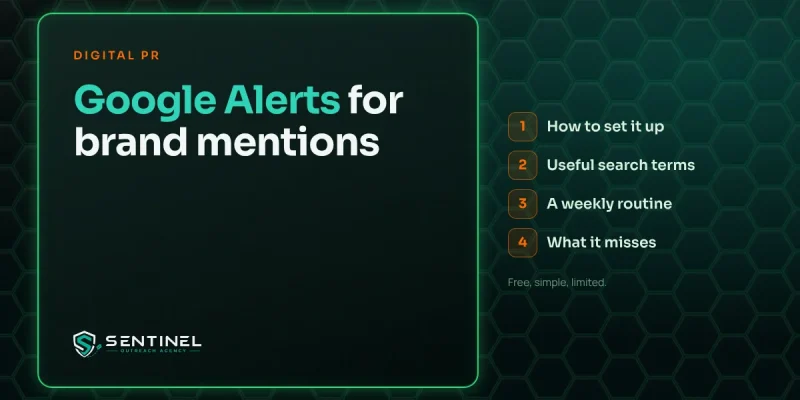
Google Alerts for brand mentions is the simplest free way to hear when your company, products or founders are named on the web. You create an alert for each name, choose how often and where Google should look, and new matching pages arrive in your inbox or an RSS feed. It takes about ten minutes to set up and costs nothing.
It’s also limited. Google Alerts catches a share of news and web mentions, misses most social posts, and says nothing about reviews or AI assistants. Used well, it’s a good early warning system for a small or mid-sized company. Used alone, it gives you a false sense of how much of the conversation you’re seeing.
What Google Alerts does
Google Alerts is a free Google service that watches for new pages matching a search query and sends you the results. According to Google’s own help page, you enter a topic, open the options, and can then change how often you’re notified, the types of sites you see, the language, the region, how many results you want and which account receives the alert.
For brand monitoring, that’s enough to cover the basics: news articles, blog posts, trade sites and some forum threads that name you. It works best for companies that get mentioned a handful of times a week, where a person can read every alert without it becoming a chore.
How to set up Google Alerts for brand mentions
You need a Google account. Then work through these steps for each name on your list.
- Open Google Alerts. Go to google.com/alerts while signed in to the account that should receive the alerts.
- Type your search term. Use quotation marks around multi-word names, such as “Acme Analytics” (a made-up name), so you only get exact matches.
- Click “Show options”. This opens the settings that decide how useful the alert will be.
- Set how often. The options are as-it-happens, daily or weekly. Daily suits most brand alerts. Use as-it-happens only for the main company name during a launch or a sensitive period.
- Choose sources. Automatic is a fine default. You can narrow it to news, blogs, web, video, books, discussions or finance if one type of source matters most.
- Pick language and region. Leave region on any region unless your brand name clashes with a business elsewhere.
- Set how many. Choose “All results” for brand names. “Only the best results” filters out smaller sites, and those are often the ones you most need to see.
- Choose delivery. Send alerts to your email address or to an RSS feed. A feed is easier to pipe into a shared team channel.
- Create the alert. Repeat for each term, then check the preview Google shows to confirm the results look right.
These option names come from Google and from a step-by-step guide published by Ghost. Google changes small details from time to time, so expect the labels to move a little.
Search terms and operators that make alerts useful
An alert is only as good as the query behind it. Spend more time on your term list than on the settings.
Which names to track
- Company name. The full name, the short name people actually use, and common misspellings.
- Products. Any product or service name that people search for on its own.
- Founders and spokespeople. Anyone who talks to the press or posts publicly on your behalf.
- Your domain. People often paste a web address instead of writing a name.
- Competitors. One alert per main rival tells you where they get covered and which reporters write about your market.
Operators worth knowing
Google Alerts accepts the same basic search operators as Google Search. Ghost’s guide lists the most useful ones for monitoring:
| Operator | Example | What it does |
|---|---|---|
| Quotation marks | “Acme Analytics” | Matches the exact phrase only |
| Minus sign | Acme -dynamite | Excludes results containing a word |
| OR | “Jane Doe” OR “Jane S. Doe” | Combines name variations in one alert |
| site: | site:reddit.com “Acme Analytics” | Limits results to one website |
| intitle: | intitle:”Acme Analytics” | Only pages with the name in the title |
If your brand shares its name with a common word, add a second term that narrows it down, such as your industry or city, and exclude the false matches you keep seeing. Review the alert after two weeks and tighten it if more than half the results are noise.
A weekly routine for your alerts
Alerts that nobody reads are worse than no alerts, because people assume someone is watching. A short routine keeps the system honest.
- Name one owner. One person reads every alert, even if others act on them.
- Send everything to one place. A shared inbox or a team chat channel fed by RSS, so alerts don’t sit in a personal inbox.
- Read daily, act weekly. Skim alerts each morning for anything urgent, then work through the rest in a fixed weekly slot.
- Log what matters. Record the date, source, link, tone and the action you took. A plain spreadsheet works.
- Prune every quarter. Retire campaign alerts, add new product names and fix any query that brings back junk.
What to do when a mention arrives
Most alerts fall into a few groups, and each one has a sensible default response.
- Good coverage. Thank the writer, share the piece on your channels and add it to your coverage log.
- A mention without a link. If the site is relevant, send a short, friendly note asking whether they’d add one. Our guide to unlinked brand mentions covers how to ask.
- A factual error. Contact the author or editor once, politely, with the correct information and a source.
- Criticism or a complaint. Decide whether a public reply helps. If the same complaint keeps appearing, it’s a pattern worth fixing at the source.
- A reporter writing about your market. Note their name and beat. They may be a good contact for your next story.
What Google Alerts misses
Free alerts are a starting point. They leave real gaps, and it pays to know them before you rely on alerts for anything important.
- Most social media. Posts on LinkedIn, X, Instagram, TikTok and Threads rarely show up. Use each platform’s search and notifications, or a social listening tool.
- Reviews. Google reviews, Yelp, Trustpilot, G2 and industry review sites need their own email notifications.
- Podcasts and video. Spoken mentions only appear if a transcript or show notes are published as text.
- AI assistants. ChatGPT, Gemini, Perplexity and Copilot don’t send alerts. You have to ask them a fixed set of questions every month and record the answers. A short monthly check by hand is still the only reliable way to see what they say.
- History. Alerts only show new pages from the day you set them up. They won’t tell you what was written last year.
- Completeness. Google decides what to send. Some mentions it indexes never arrive as alerts, so don’t treat a quiet inbox as proof of a quiet market.
When mentions run into the dozens each week, or when press coverage is a goal you report on, a paid media monitoring tool is worth trialling alongside your alerts. Test two or three with your real term list and keep the one that finds the most mentions you’d otherwise have missed.
When alerts turn up a bigger problem
Sometimes the alerts tell you something a reply can’t fix: an old negative article that keeps ranking for your name, a run of similar complaints, or competitors appearing in every trade roundup while you don’t. That’s a reputation or visibility problem, and it needs a plan.
Our reputation management service deals with the first two. For the third, digital PR earns the coverage that gives reporters, buyers and AI assistants something better to find.
Monitoring tells you where you stand today. If you want more of the mentions to be the kind you’d share, our brand building service combines earned coverage, owned content and steady monitoring to build a reputation people find and trust.
Questions readers ask
Is Google Alerts free?
Yes. Google Alerts is free to use with a Google account, and you can create separate alerts for each brand name, product, founder and competitor you want to watch.
Does Google Alerts track social media mentions?
Rarely. It focuses on web pages such as news, blogs and some forums. For social posts, use each platform's own search and notifications or a social listening tool.
How often should Google Alerts send brand mentions?
Daily suits most brand alerts. Use as-it-happens for your main company name only during a launch, a crisis or another period when timing matters.
Why am I not getting any Google Alerts?
Check you're signed in to the right account, the alert is enabled, the email address is correct and alert emails aren't landing in spam. A very narrow query can also return nothing.
Want more mentions worth sharing?
We plan earned coverage, owned content and monitoring as one brand programme.